搭建一个CORS 代理的node服务来把date.json视频文件转成svg在页面播放
<!-- 引入 Lottie-web 库 -->
<script src="https://cdnjs.cloudflare.com/ajax/libs/bodymovin/5.7.11/lottie.min.js"></script>
<div id="lottie-container" style="width: 500px; height: 300px;"></div>
<script type="text/javascript">
// 使用 Lottie-web 加载动画
const animation = lottie.loadAnimation({
container: document.getElementById('lottie-container'), // 动画显示的容器
renderer: 'svg', // 渲染方式(SVG, Canvas, 或 HTML)
loop: true, // 是否循环播放
autoplay: true, // 是否自动播放
path: 'https://cors-anywhere.herokuapp.com/http://mbal.scmb.top/api/wuliuapi/demo/js/data.json' // JSON 动画文件的路径
});
</script>
搭建一个类似https://cors-anywhere.herokuapp.com的node服务
搭建一个CORS 代理的node服务来把date.json视频文件转成svg在页面播放如下:
1、安装 Node.js(如果还没有安装):Node.js 官网
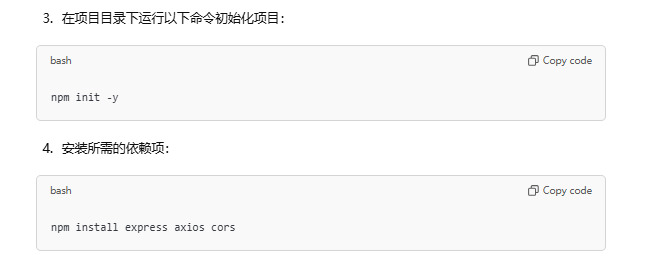
2、创建一个新的项目文件夹,并初始化项目:
mkdir my-cors-proxy
cd my-cors-proxy
npm init -y
3、安装 express 和 axios:
npm install express axios
4、创建一个 server.js 文件,并编写以下代码:
const express = require('express');
const axios = require('axios');
const cors = require('cors');

const app = express();
const port = 3000;

// 允许所有来源访问 CORS 代理
app.use(cors());

// 代理的请求处理
app.get('/proxy', async (req, res) => {
  const targetUrl = req.query.url; // 获取目标 URL
  if (!targetUrl) {
    return res.status(400).json({ error: 'Missing URL parameter' });
  }

  try {
    // 通过 axios 发起请求
    const response = await axios.get(targetUrl, {
      headers: {
        // 可根据需要添加请求头
      },
    });

    // 设置响应头,以允许跨域请求
    res.set('Access-Control-Allow-Origin', '*');
    res.set('Access-Control-Allow-Methods', 'GET, POST, OPTIONS');
    res.set('Access-Control-Allow-Headers', 'Origin, X-Requested-With, Content-Type, Accept');

    // 返回代理请求的响应数据
    res.send(response.data);
  } catch (error) {
    // 如果出错,返回错误信息
    res.status(500).json({ error: 'Error fetching the URL' });
  }
});

// 启动服务器
app.listen(port, () => {
  console.log(`CORS Proxy running at http://localhost:${port}`);
});
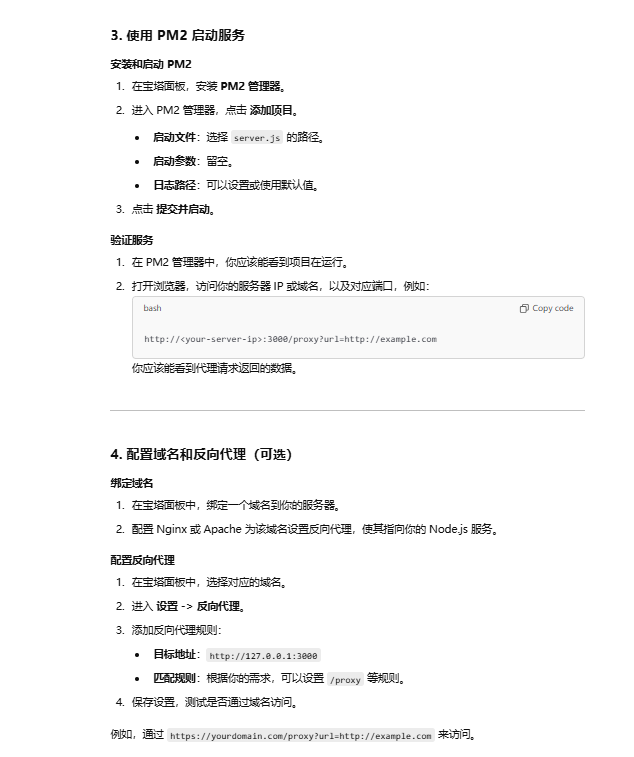
3. 启动服务器
node server.js
4、通过访问 http://localhost:3000/proxy?url=目标URL,你就可以向任何支持 HTTP 请求的目标发起代理请求了。
例如,如果你想代理 http://mbal.scmb.top/api/wuliuapi/demo/js/data.json,你可以在前端代码中请求:
fetch('http://localhost:3000/proxy?url=http://mbal.scmb.top/api/wuliuapi/demo/js/data.json')
  .then(response => response.json())
  .then(data => {
    console.log(data);  // 处理返回的数据
  })
  .catch(error => {
    console.error('加载失败:', error);
  });
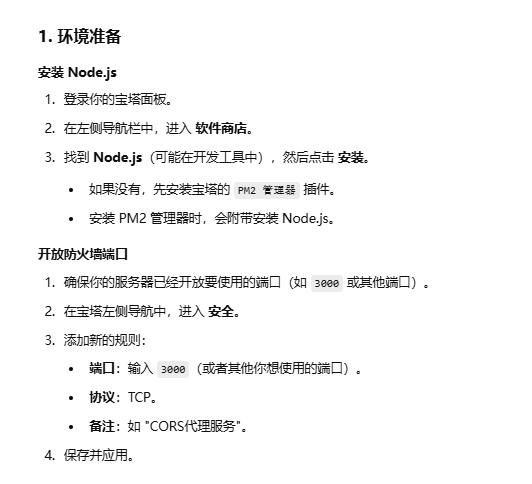
二、线上宝塔按照

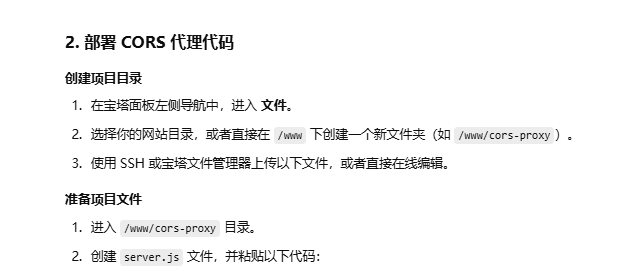
const express = require('express');
const axios = require('axios');
const cors = require('cors');

const app = express();
const port = 3000; // 可以自定义端口

// 允许所有来源访问 CORS 代理
app.use(cors());

// 代理请求
app.get('/proxy', async (req, res) => {
  const targetUrl = req.query.url; // 获取目标 URL
  if (!targetUrl) {
    return res.status(400).json({ error: 'Missing URL parameter' });
  }

  try {
    const response = await axios.get(targetUrl);
    res.set('Access-Control-Allow-Origin', '*');
    res.send(response.data);
  } catch (error) {
    res.status(500).json({ error: 'Error fetching the URL' });
  }
});

// 启动服务器
app.listen(port, () => {
  console.log(`CORS Proxy running at http://localhost:${port}`);
});